
HGZY APK: Unlock Amazing Features & Enjoy More
Mobile applications have changed the way people access digital entertainment. Instead of depending on a desktop computer or visiting different websites, users can now explore a wide range of online services directly from their smartphones. An application can make navigation easier, keep important options in one place, and provide a more convenient experience for people who prefer using mobile devices. This growing interest in mobile entertainment has also made APK searches increasingly common among Android users.
HGZY APK is a search term that attracts attention from people looking for information about the HGZY platform, mobile access, account registration, login options, and available entertainment features. Many users want to understand what the application is, how an APK works, whether their device can support it, and what they should check before installing a file.

What Is HGZY APK?
HGZY APK generally refers to an Android application package associated with websites or services using the HGZY name. APK stands for Android Package Kit. It is the file format Android uses to distribute and install applications. When someone downloads an APK, they are obtaining an installation package that may contain the application’s code, resources, and other required components.
Unlike an application installed directly through Google Play, an APK downloaded from a website may need to be installed manually. This process is often called sideloading. Android allows users to authorize certain apps, such as a browser or file manager, to install applications from outside the usual app store. That permission only allows the installation process to begin; it does not confirm that the downloaded file is trustworthy.
Websites using the HGZY name describe different types of mobile entertainment and gaming experiences. Depending on the particular service, a page may discuss game categories, account access, promotional information, mobile navigation, or other platform features. These descriptions should be treated as claims made by the individual website until they can be independently verified.
It is especially important not to confuse similarly named products. A platform that offers one kind of entertainment may have no connection with another application carrying a similar name. Before downloading anything, compare the developer name, package identity, version information, and official distribution details.
In simple terms, HGZY APK is a search phrase connected with Android access to services using the HGZY branding. The exact application and its features depend on the source and publisher. Users should identify the specific service they intend to access before taking any installation steps.
Key Features Users May Look For
People searching for HGZY APK often want to know what features a mobile application might provide. The actual functions depend on the particular service and version, so no feature should be assumed to exist without checking the publisher’s current documentation.
The following points describe common features users may look for when evaluating a mobile entertainment application.
Mobile-Friendly Interface
A clear interface can make an application easier to understand. Well-organized menus, readable text, visible navigation controls, and logically arranged sections help users find information without repeatedly returning to the home screen.
A mobile-friendly design is particularly useful on smaller displays. Users should be able to understand what each button does before selecting it. If an application uses unclear labels, unexpected pop-ups, or confusing navigation, take time to investigate rather than clicking through every option.
Convenient Navigation
Navigation is an important part of the overall mobile experience. An application may arrange its main sections through a home screen, menu, profile area, settings page, and help section.
A simple layout can reduce confusion, especially for first-time users. However, convenience should never replace careful reading. Review the available information before creating an account, sharing personal details, or making any payment-related decision.
Account Access
Some services using the HGZY name describe registration and login options. An account system may allow users to access personal settings or continue using a service across sessions.
The availability and exact process must be confirmed through the relevant provider. Never assume that account details from one HGZY-branded website will work on another. Similar branding does not establish a shared account system.
Information and Help Sections
A useful application should make important information easy to locate. This may include instructions, service rules, privacy information, account guidance, and support details.
Before using a platform, read its terms and privacy policy. Check whether the provider explains how personal information is handled, how accounts can be closed, and how complaints are submitted.
Version Updates
Applications may receive updates to address technical issues, improve compatibility, or change their interface. Users should be able to identify the version they are installing and understand where updates are published.
Avoid downloading a new version from an unfamiliar link simply because a website describes it as faster or more advanced. A modified or unofficial package may not be equivalent to the publisher’s original application.
Device Compatibility
A mobile application should be compatible with the device and Android version on which it is installed. Compatibility information should come from the actual publisher or a trusted distribution listing. Do not rely on broad statements that an application works on every Android phone.
System Requirements for Android, iOS, and PC
System requirements determine whether an application can work properly on a particular device. Because different services may use the HGZY name, there is no single confirmed specification that applies to every HGZY APK file.
Check the requirements supplied by the publisher of the exact application you intend to use.
Android Requirements
Android is the main operating system associated with APK files. Before installing an APK, review these general device considerations:
- Android version: Confirm the minimum supported Android version from the publisher.
- Available storage: Keep enough free space for the installation package and any additional application data.
- Memory: A device with sufficient available memory is less likely to experience slowdowns when running multiple apps.
- Internet connection: A stable connection may be necessary for account access and online services.
- Security settings: Keep Android security features active and review any warning displayed during installation.
- Device compatibility: Check whether the application supports your phone model and processor architecture.
These are general preparation steps, not confirmed HGZY-specific requirements.
iOS Requirements
APK files are designed for Android and cannot be installed directly on an iPhone or iPad. Apple devices use a different application distribution system.
If a service using the HGZY name claims to support iOS, check whether it provides a legitimate App Store listing or another clearly documented, authorized access method. Do not install configuration profiles or follow unusual instructions from an unknown website just to access a service.
PC and Laptop Requirements
An Android APK is not normally installed directly on Windows or macOS. Some users explore Android emulators to run compatible Android applications on a computer. However, emulator compatibility is not guaranteed, and using one does not make an unverified application safe.
If you are considering desktop access, first check whether the service provides a genuine website or an officially supported desktop version. Avoid downloading unknown emulator software or granting unnecessary system permissions.
How to Download HGZY APK
Downloading an APK requires more care than downloading a regular document or image. The most important step is confirming that the file comes from a source genuinely authorized by the application’s developer.
There may be several websites using the HGZY name. A search result, advertisement, or page containing the word “official” is not enough to prove that the website represents the intended service.
Use the following process as a general source-verification guide.
Step 1: Identify the Correct Service
Start by deciding which HGZY-branded service you are looking for. Check its publisher name, product description, and support information. If the website does not clearly identify the organization responsible for the application, treat that as a reason to pause.
Step 2: Verify the Website
Check the website address carefully. Look for consistent publisher information, a clear privacy policy, terms of service, and contact details that can be independently verified.
Be cautious of websites that use misspelled domain names, repeated redirects, aggressive advertisements, or download buttons that lead to unrelated pages.
Step 3: Review the Application Details
Before downloading, look for the application name, developer or publisher, version number, release information, and supported Android versions. Compare those details with information published through a trusted channel.
A familiar icon or filename does not prove that a file belongs to the intended developer.
Step 4: Check the Download Destination
A download button should lead to the expected file or a clearly explained distribution page. Stop if it redirects to an unrelated website, requests unnecessary personal details, or asks you to install additional unknown applications.
Step 5: Scan and Inspect the File
If you have obtained an APK from a source you have independently verified, review it with available security tools before opening it. Keep Google Play Protect enabled and pay attention to Android security warnings.
A scan that reports no problem is not an absolute guarantee. If the developer identity, file signature, or download source cannot be confirmed, the safest choice is not to install the file.
How to Install HGZY APK on Android
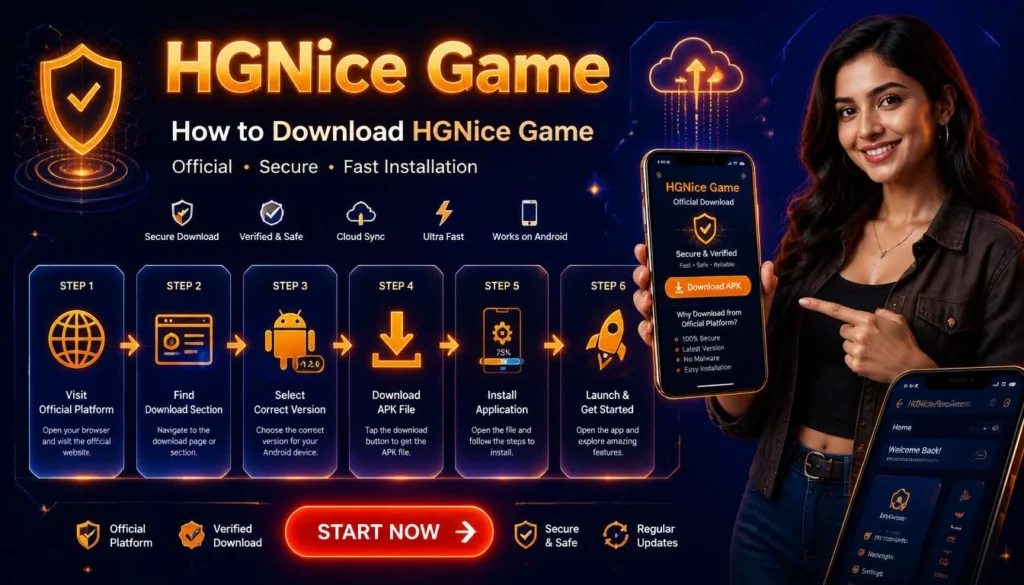
The installation process for an APK can vary depending on the Android version, device manufacturer, and file source. The following steps explain the general Android sideloading process. They do not confirm that any particular HGZY APK is genuine or safe.
Step 1: Locate the Downloaded File
If you have downloaded a file from a source you trust, open your phone’s Downloads folder or file manager. Find the APK and check its filename and version information.
Do not open a file if its name or source differs from what you expected.
Step 2: Review Android’s Security Warning
Android may display a warning when you attempt to install an application from outside Google Play. Read the message carefully.
If the system identifies a security problem, do not ignore it just to finish the installation. A warning may indicate that the file or source needs further investigation.
Step 3: Understand Install Unknown Apps Permission
On some Android versions, users must authorize a specific source, such as a browser, to install unknown applications. This permission is usually managed through the phone’s settings.
Only consider granting this permission when you have independently verified the file and understand the risk. Avoid enabling broad installation permissions unnecessarily.
Step 4: Review the Requested Access
During installation, pay attention to the information Android displays. After installation, review the app’s permissions through your device settings.
An application should not need access that has no reasonable connection with its stated purpose. Be especially cautious if an unfamiliar app requests accessibility access, device administration privileges, notification access, or other sensitive permissions without a clear explanation.
Step 5: Complete Installation Only If the Checks Pass
Proceed only if the source, developer identity, file details, and security checks are consistent. If anything seems unusual, cancel the process and remove the downloaded file.
Step 6: Review the Installed Application
If installation completes, check the app name, publisher information where available, and requested permissions. Do not immediately enter personal or financial information.
For general APK security guidance, see the advice on verifying an app’s source and identity before installation.
How to Register an Account
Registration is the process of creating a new account on a service. Some websites using the HGZY name describe account registration, but the exact process may differ between providers.
Before creating an account, confirm that you are using the correct service and that it is legally available in your location.
Read the Terms First
Review the service’s terms of use, privacy policy, eligibility rules, and any relevant restrictions. If the platform involves betting or real-money gaming, understand the financial risks and local legal requirements before deciding whether to participate.
Use Accurate Information
If you decide to register with a legitimate service, provide only the information that is genuinely required. Do not enter details on a page that appears suspicious or asks for unnecessary sensitive information.
Create a Strong Password
Use a unique password that you do not use for other accounts. A password manager can help you create and store a strong password securely.
Protect Verification Codes
Some services may use a one-time password or another verification method. Never share a verification code with another person, even if they claim to be a customer support representative.
Check the Account Confirmation
If registration is completed, review the confirmation message and account settings. Make sure you understand how to update your information, change your password, and contact the provider through a verified support channel.
Do not create multiple accounts to bypass restrictions or service rules.
How to Login to HGZY
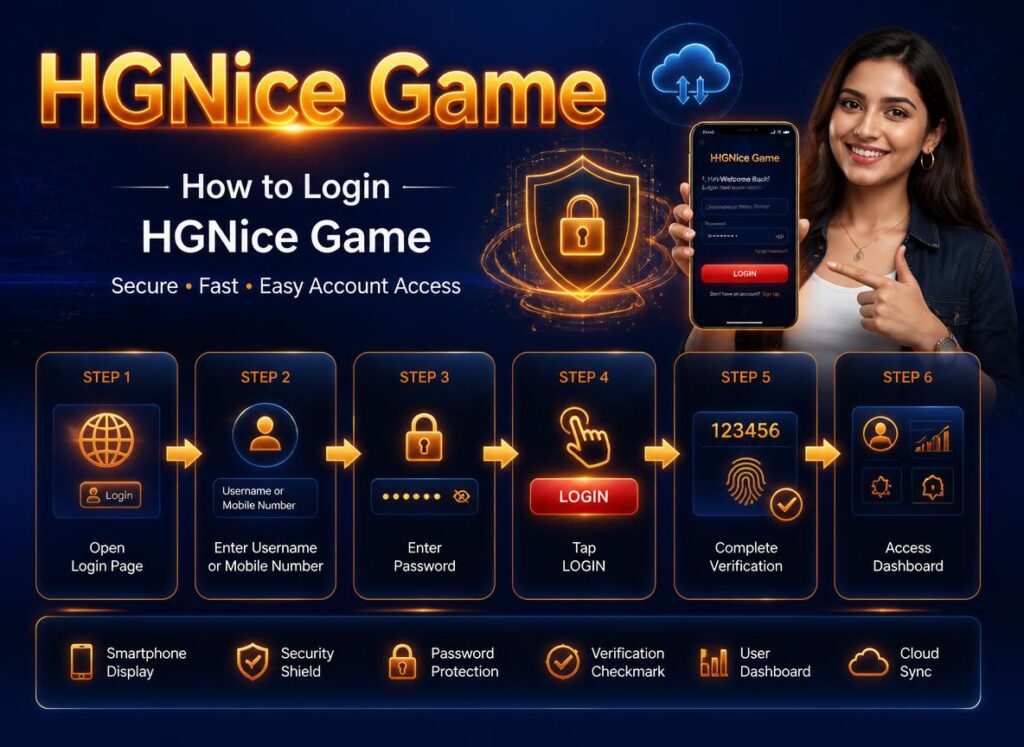
The login process depends on the website or application connected with the HGZY name. A typical online service may ask users for a registered email address, mobile number, username, or password.
If you already have an account with the correct provider, use its verified login page or application. Before entering your credentials, check the website address and make sure the page is not an imitation.
If login does not work, consider these basic checks:
- Confirm that you are using the correct account identifier.
- Check whether Caps Lock or keyboard language settings are affecting your password.
- Make sure your internet connection is working.
- Confirm that you are visiting the correct provider’s website.
- Use the provider’s official password-recovery process if available.
- Avoid repeatedly entering credentials on a page that looks unfamiliar.
Never share your password or one-time verification code with another person. If you suspect that your account has been accessed without permission, change your password through a verified channel and contact the provider.
Understanding Mobile Access and the User Experience
A mobile application can make a digital service easier to access, but the quality of the experience depends on more than its appearance. Users should consider usability, performance, transparency, and security together.
Clear Navigation
A good mobile layout should make important sections easy to find. Menus should have understandable labels, and account settings should not be hidden behind confusing links.
Readable Content
Text should be comfortable to read on a phone. Important instructions, warnings, and service terms should be visible rather than buried in promotional messages.
Stable Performance
A well-functioning application should respond consistently on supported devices. Frequent crashes, unexplained loading screens, and repeated redirects may indicate technical problems or an unreliable service.
Transparent Information
Users should be able to find the publisher’s identity, privacy information, terms, and support channels. If these details are missing, it is difficult to make an informed decision about using the service.
Responsible Notifications
Notifications should be useful and manageable. Users should understand how to control them and should not feel pressured by repeated messages encouraging immediate activity or spending.
Beginner Tips for a Better Experience
New users can avoid many common problems by taking a few minutes to understand an application before using it. The following suggestions apply broadly to mobile entertainment platforms.
Learn the Interface Slowly
Explore the main menu, settings, help section, and account options before using any major feature. Do not select unfamiliar buttons simply because they are prominently displayed.
Read the Rules
Every online service may have its own terms and conditions. Read the important sections, including eligibility requirements, account restrictions, privacy practices, and complaint procedures.
Protect Your Personal Information
Share only the information that is necessary for a legitimate purpose. Avoid sending identity documents, payment details, passwords, or verification codes through unofficial messaging accounts.
Keep Your Device Updated
Install operating system and security updates when they are available for your device. Updates can address vulnerabilities and improve compatibility.
Manage App Permissions
Review the permissions requested by the application. Remove permissions that are unnecessary, where your device allows it. If an application refuses to work unless you grant unrelated sensitive access, reconsider installing it.
Avoid Unverified Promotions
Promotional claims, bonus messages, and special offers should always be checked against the provider’s published terms. Do not assume that a reward is guaranteed or that a promotional message is genuine.
Set Personal Limits
If a service involves paid gaming, betting, or other financial risk, decide on clear limits before participating. Never use money needed for food, housing, education, bills, or other essential expenses.
Stop When Something Seems Wrong
Unexpected redirects, security warnings, requests for unusual permissions, and pressure to deposit money are reasons to stop and investigate. You do not need to complete an installation or transaction just because you have already started it.
Potential Benefits of a Mobile Application
A mobile application can offer practical advantages compared with repeatedly opening a website in a browser. However, these are general benefits of well-designed apps, not verified promises about every service using the HGZY name.
Easier Access
An installed application may provide a direct way to open a service from the phone’s home screen. This can reduce the number of steps needed to reach frequently used sections.
Organized Navigation
An application can place account settings, help information, and other sections in a structured interface. Clear organization may make the service easier to understand.
Device-Level Settings
Depending on the application and operating system, users may be able to manage notifications, permissions, storage, and other settings through the device.
Consistent Layout
A dedicated mobile interface may be designed around touch controls and smaller screens. This can make navigation more comfortable than using a desktop-style website on a phone.
Easier Access to Support Information
If the provider includes a clear help section, users may be able to find account instructions and service information without searching through unrelated pages.
These benefits depend on the quality and legitimacy of the actual application. Installing an app does not automatically make a service safer, faster, or more reliable.
Why Choose a Verified Application?
When people search for HGZY Game APK, they may see several download pages offering files with similar names. Choosing between them should never be based only on download speed, attractive graphics, or promotional language.
A verified application has a more clearly established connection to its publisher. This helps users understand who is responsible for the software and where to find reliable updates or support.
Publisher Identity
The developer’s name should be clearly stated and consistent across the application, documentation, and trusted distribution channels.
Reliable Distribution
A legitimate publisher should explain where its application is distributed. If a website claims to be an official download source, look for independent evidence that the developer recognizes it.
Clear Privacy Information
The provider should explain what information it collects, why it collects it, and how users can exercise available privacy rights.
Understandable Permissions
The requested permissions should be relevant to the application’s purpose. Unexplained access to sensitive device functions should be treated cautiously.
Consistent Updates
Version information and release details help users identify whether they are installing the intended application. Avoid packages described as modified, unlocked, or specially upgraded unless the publisher can independently confirm their legitimacy.
Accessible Support
A genuine service should provide understandable information about account problems, complaints, and other support matters. Be cautious of individuals who ask for passwords or verification codes in the name of helping you.
A verified source can reduce some risks, but it cannot guarantee that every application is harmless. Continue to use device security features and review the app’s behavior after installation.
Common Problems and Their Solutions
Mobile applications can experience technical issues for many reasons, including device compatibility, network problems, outdated software, or incorrect account details. The following troubleshooting ideas may help users understand common situations.
Problem 1: APK File Does Not Download
A download may fail because of an unstable internet connection, insufficient storage, or a problem with the website.
What to check:
- Test your internet connection.
- Check the available storage on your device.
- Confirm that the download page is still accessible.
- Avoid using a different download link unless you can verify its source.
If the file repeatedly fails to download, do not search randomly for replacement copies. Contact the verified publisher or wait until a legitimate source is available.
Problem 2: Installation Is Blocked
Android may prevent an APK from installing because the browser or file manager does not have installation permission. It may also block a file for security reasons.
What to check:
- Read the exact Android warning.
- Confirm the source and identity of the APK.
- Review whether the file is compatible with your device.
- Do not disable Play Protect or bypass a security block simply to install the file.
An installation warning should be investigated, not automatically ignored.
Problem 3: Application Closes Unexpectedly
An application may close because of limited device resources, compatibility issues, damaged installation files, or a software bug.
What to check:
- Restart your device.
- Close unnecessary background applications.
- Check whether your Android version is supported.
- Look for a verified update from the publisher.
Do not reinstall an unfamiliar APK from another website as a first response.
Problem 4: Login Is Unsuccessful
Incorrect credentials, account restrictions, network problems, or service interruptions may prevent login.
What to check:
- Confirm the account identifier and password.
- Check your internet connection.
- Use the provider’s verified recovery process.
- Contact support through a channel independently confirmed to belong to the service.
Never send your password or one-time code to someone offering unofficial login assistance.
Problem 5: Application Runs Slowly
Slow performance can result from limited memory, an older device, background activity, or a weak internet connection.
What to check:
- Close applications you are not using.
- Restart your phone.
- Check available storage.
- Test another reliable internet connection.
- Confirm that the app is compatible with your device.
Avoid downloading performance-modified APK files from unknown sources.
Problem 6: Update Is Not Available
An update may not be available for every device or region at the same time. The publisher may also have changed its distribution method.
What to check:
- Review the publisher’s verified update information.
- Compare the installed version with the version listed by the trusted source.
- Avoid unofficial update packages.
- Do not uninstall an existing app until you understand whether doing so could affect locally stored information.
Problem 7: Suspicious Pop-Ups or Redirects Appear
Unexpected advertisements, redirects, or requests to install other apps can indicate an unreliable website or application.
What to check:
- Stop interacting with the pop-up.
- Close the suspicious page.
- Review recently installed applications.
- Run the device’s available security checks.
- Remove an application if you have reason to believe it is unsafe.
Do not enter passwords or payment information into pages opened through suspicious redirects.
Important Safety and Responsible-Use Guidelines
Safety deserves special attention whenever an application is downloaded outside a trusted app store. An APK is simply an installation format. It is not a certificate of quality, authenticity, or security.
Verify the Source Independently
Do not rely only on a website’s own statement that it is official. Look for confirmation from the actual developer or a trusted distribution channel.
Keep Security Features Enabled
Keep Google Play Protect and other built-in Android protections active. Do not follow instructions that ask you to disable security tools without a clear and independently verified reason.
Check Permissions Carefully
An application should request only the access needed for its functions. Be particularly cautious about unexplained requests for accessibility services, SMS access, contacts, device administration, or notification permissions.
Protect Financial Information
If a platform includes financial transactions, understand the provider’s identity, fees, withdrawal rules, and dispute process before sharing payment information. Never send money to a personal account because an unknown person claims it is required for account activation.
Understand Legal Requirements
Online gaming and betting laws vary between countries and regions. Users should check the laws that apply to their location and avoid services that are not legally permitted.
Be Careful with Real-Money Gaming
If a service involves betting or gambling, participation can result in financial loss. There is no reliable strategy, bot, signal, or application that can guarantee winnings. Treat any claim of guaranteed profit with skepticism.
Only adults who are legally eligible should consider services that are restricted by age. Do not use essential household money, borrowed funds, or money set aside for important responsibilities.
Avoid Unofficial Bots and Modified Apps
Claims about hack bots, prediction tools, modified APKs, or guaranteed-win systems are not proof of real functionality. Such downloads may expose devices and accounts to security risks. Do not provide account access to third-party tools.
Frequently Asked Questions
What is HGZY APK?
HGZY APK is a search term used for Android application packages associated with services using the HGZY name. The exact product and features depend on the publisher and download source.
Is HGZY APK an Android application?
An APK is an Android installation file format. A file advertised as HGZY APK may be intended for Android, but users should verify the actual package and developer before installing it.
Is HGZY APK available on Google Play?
Availability can vary and may change over time. Search for the exact application and publisher in Google Play. If you cannot find a matching listing, do not assume that a third-party download page is an authorized alternative.
Can I install HGZY APK on an iPhone?
No. APK files are designed for Android and cannot be installed directly on iOS. If the relevant service supports iPhone, check for a legitimate iOS distribution option from the publisher.
Can I use HGZY APK on a computer?
An APK is designed for Android. Some Android applications may work through compatible emulators, but support is not guaranteed. Check whether the service provides an officially supported desktop option.
How can I check whether an HGZY APK is genuine?
Verify the developer, website, package identity, version information, and distribution source. Compare the details with information from the publisher’s independently confirmed channels. Do not rely on the filename or logo alone.
Is it safe to download an APK from any website?
No. An APK from an unknown or misleading website may be modified or harmful. Prefer a trusted app store or a developer’s independently verified distribution page, and keep Android security protections enabled.
Why does Android show an installation warning?
Android may show a warning because the file comes from outside a trusted app store, the installation source is not authorized, or the system detects a potential security concern. Read the warning and investigate the file rather than bypassing it automatically.
What should I do if the APK does not install?
Check the file source, device compatibility, available storage, and the exact error message. If the file is not independently verified or Android blocks it for security reasons, do not keep trying to install it.
Can I use the same account on different HGZY websites?
Do not assume that similarly named websites share an account system. Use an account only on the service where it was created, unless the provider clearly confirms otherwise through a verified channel.
Are HGZY bonuses or rewards guaranteed?
No reward should be considered guaranteed unless the provider’s official terms clearly explain the offer and eligibility conditions. Read the rules carefully and be cautious of promotional claims that promise certain financial returns.
Can a bot guarantee winning results?
No. Claims that a bot, hack, or signal can guarantee wins should be treated skeptically. Do not install unknown tools or share account credentials with people promoting such services.
What should I do if I forget my password?
Use the password recovery process provided by the verified service. Do not share your verification code or password with anyone claiming to recover the account for you.
How can I protect my account?
Use a unique password, keep verification codes private, avoid suspicious links, review account activity where available, and contact the provider through a verified support channel if you notice anything unusual.
Final Thoughts
HGZY APK is a popular search phrase among people looking for information about Android access, mobile entertainment, account registration, and related services using the HGZY name. Understanding the APK format and checking the application’s identity are important first steps for anyone considering a download.
A mobile application may offer convenient navigation and easier access to online services, but those benefits depend on the quality and legitimacy of the actual product. A familiar name, attractive interface, or promotional download page does not prove that an application is official or safe. Users should verify the publisher, review the file details, understand requested permissions, and pay attention to Android security warnings.
Before installing an HGZY-branded APK, identify the exact service you intend to use. Check its terms, privacy information, support details, and legal availability in your location. If the source cannot be verified, avoid installing the file or sharing personal information.
The best mobile experience is not simply about downloading an application quickly. It is about making informed decisions, protecting your device and account, understanding the service, and using digital entertainment responsibly. Take time to verify the details before proceeding, and never treat promotional claims or promised winnings as guaranteed outcome